
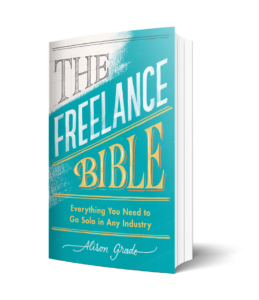
Penny is a friendly finance tool that helps freelancers assess their finances. Inspired by The Freelance Bible, it guides users through key areas such as income, household costs, and everyday spending to build a clearer picture of their finances. Penny turns complex financial questions into simple insights, helping freelancers make confident decisions and create a more sustainable freelance career.
Watch the course introduction video (2m 19s)
CREATIVE. MEDIA. TRAINING. BUSINESS.
Mission Accomplished trains entrepreneurs, screen and creative freelancers and turns creative ideas into thriving businesses. We have delivered a range of in-person and online training courses since 2008.
Mission Accomplished’s CEO, Alison Grade, spent 15 years working at senior level in a variety of media companies, predominantly in international television and film production, rights management and strategy. Alison also has formal academic training and is a Nesta-accredited Creative Enterprise Trainer. She is also the author of the Penguin bestseller, The Freelance Bible.
Alison has built a team of seasoned TV and Film professionals who deliver courses that develop creative freelancers’ careers.
We’d love to see your progress! Follow us on socials and tag us when you complete your course

Welcome to Learndash

On here you will see a range of resources, including session PowerPoints, useful information , Masterclass content and self guided learning.
To move through the course, open each lesson and work through the resources provided. At the end of each lesson, click the green “ ” button to at the bottom of the screen unlock the next section. Your progress will be saved automatically, so you can return at any time and pick up where you left off.
How to reset tour password
To reset your password, navigate to the login page for Mission Accomplished: Login Here. Below the login form, click the link that says “Forgot your password”.
Enter the email address associated with your account and click Submit. Then, check your inbox for an email from Mission Accomplished containing a link to reset your password. If you don’t see the email, check your spam or junk folder.
Click the password reset link in the email, and you’ll be taken to a secure page to create a new password. Enter your new password, confirm it, and click Reset Password.
Finally, return to the login page and log in using your new password.
Frequently asked questions
If you have questions about how to access your course visit our FAQ page: