
Welcome to your Skills Audit
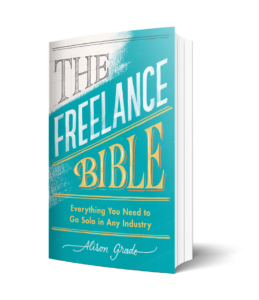 My name’s Alison Grade. And I’m thrilled to be here with you. For those of you who don’t know me, I’m a serial freelancer, I’m the author of The Freelance Bible, and I’m the CEO of Mission Accomplished, which is a training and consultancy that specializes in screen and creative industries. My background is absolutely film and TV production. I came up through the ranks of production management from production assistant, through coordinator, production management, and latterly I went into the commercial affairs side of the business.
We’ve designed this skills audit tool to empower individuals like yourself to thoroughly explore your skillset and to enable you to showcase your unique talents and expertise.
Over the course, you will learn to unlock ALL of your personal and professional skills and discover the recipe for your secret sauce.
The skills audit tool is designed as a series of steps with explanatory videos followed by exercises for you to complete.
Each step is designed to help you discover all the ingredients that make up your secret sauce, work out where it will add the most value in the workplace and it will allow potential employers, collaborators and clients to understand the unique flavour that you bring to their project or their company.
Note that you can do as many Skills Audits as you like – whenever your skillset changes or whenever you think it will help you! ALL your previous attempts will be accessible in the Results and Next Steps page.
Click on ‘Students Skills Audit’ to get started.
Welcome to Learndash
On here you will see a range of resources, including session PowerPoints, useful information , Masterclass content and self guided learning.
To move through the course, open each lesson and work through the resources provided. At the end of each lesson, click the green “ ” button to at the bottom of the screen unlock the next section. Your progress will be saved automatically, so you can return at any time and pick up where you left off.
How to reset tour password
To reset your password, navigate to the login page for Mission Accomplished: Login Here. Below the login form, click the link that says “Forgot your password”.
Enter the email address associated with your account and click Submit. Then, check your inbox for an email from Mission Accomplished containing a link to reset your password. If you don’t see the email, check your spam or junk folder.
Click the password reset link in the email, and you’ll be taken to a secure page to create a new password. Enter your new password, confirm it, and click Reset Password.
Finally, return to the login page and log in using your new password.
Frequently asked questions
If you have questions about how to access your course visit our FAQ page: